> For the complete documentation index, see [llms.txt](https://about.wocstreet.com/llms.txt). Markdown versions of documentation pages are available by appending `.md` to page URLs; this page is available as [Markdown](https://about.wocstreet.com/prediction-game-deprecated/game-flow.md).
# Game Flow
1\. Head to a stock page
Begin by selecting Prediction on the Tabs
## 2. Validate Event Details
Review and verify key details such as the benchmark price and the timeframe for which you're making a prediction.
You can toggle between daily and weekly
## 3. Check Live Forecast
Review the current probability driven by AI & community predictions
Also can be translate as market sentiment
## 4. Making a prediction
Input the amount you want to bet and choose the direction you anticipate the stock will move. Keep in mind that a high-probability prediction will yield lower odds and return.
{% hint style="info" %}
You will receive Potential Return if your prediction is correct
{% endhint %}
## 5. Submit your prediction
Success
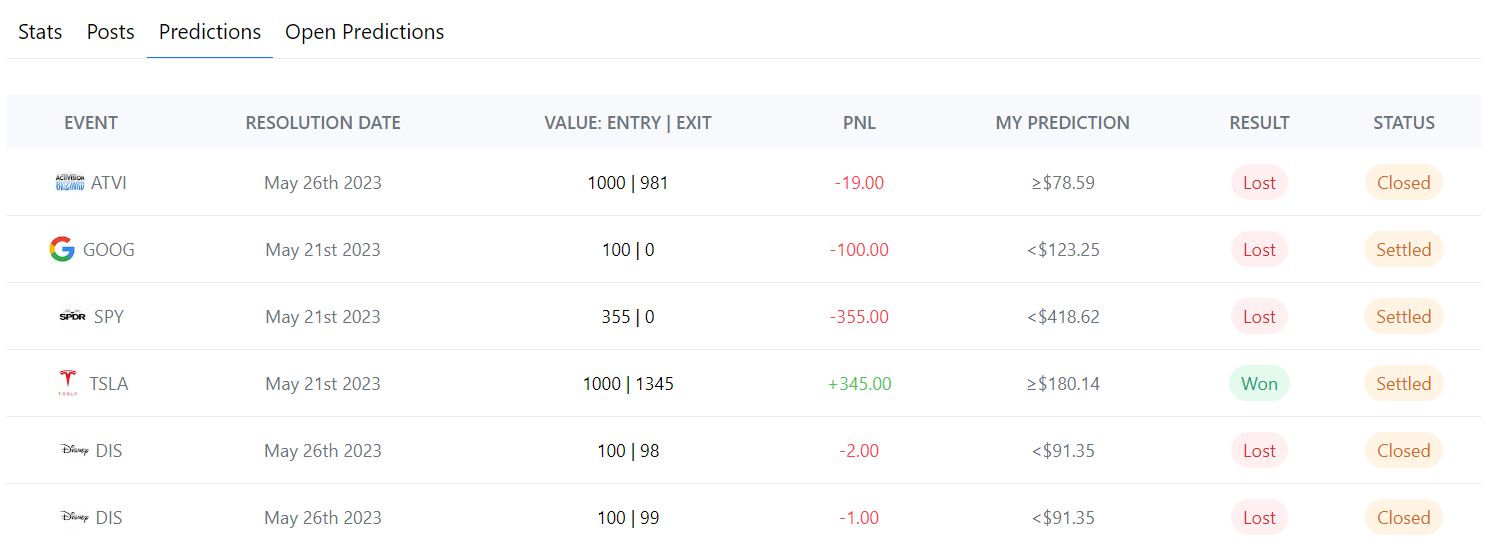
After making a prediction, you can track it either from your profile page or under the 'My Predictions' section on the stock page.
Open Prediction
## 6. Exchange ideas!
Comment your thoughts and discuss insights with others.
## 7. Wait for the Settlement!
At the end of the event, any earnings from correct predictions will be automatically added to your account
You can check your prediction history on the profile page.